Your board, in three dimensions.

Put the client's FBX right next to the concept art and spin it with Alt-drag. Circle what's off, and the note keeps that camera angle. Screenshots, GIFs and turnaround videos sit on the same canvas.

Free for everyone. 4.4 MB, no account.
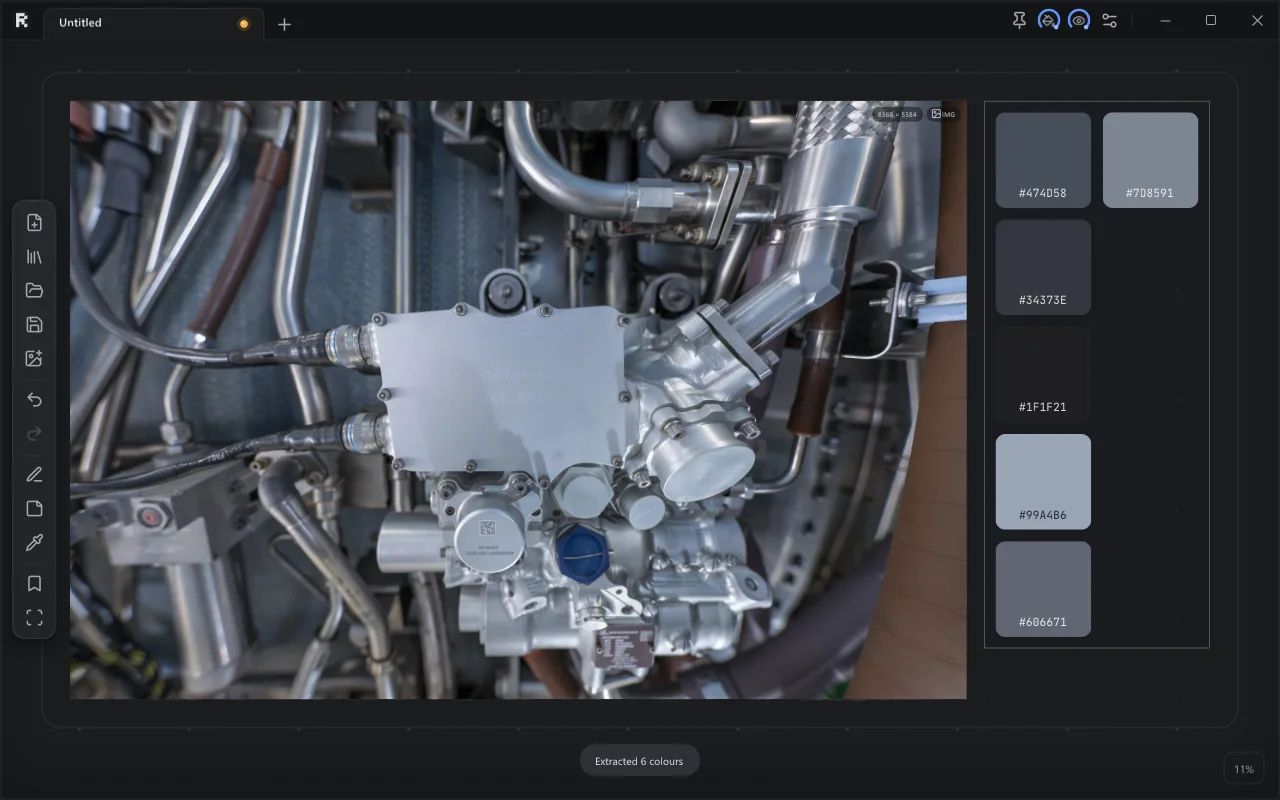
A golf cart photo with its extracted colour palette
PNG JPG PSD TGA HDR GIF  /  MP4 MOV AVI WMV  /  FBX GLB glTF OBJ  /  .deck .pur
01

The rest of the toolbox

Things you'd expect from a reference board, plus a few you'd miss in the others.

GIFs and video

MP4, MOV, AVI, WMV and GIFs loop on the board without sound. Step frame by frame, and pull any frame out as a picture.

K,.Shift+K

Opens .pur boards

Opens .pur boards (2.x fully, 1.x pictures) with crops, notes and drawings, and exports back to .pur.

Groups, tables, notes

Groups that fit their content, table outlines whose cells wrap around refs, notes in 19 fonts with Cyrillic.

Ctrl+GTN

Board library

Every board with a thumbnail. Search names, notes, file names and #tags, or find similar pictures across all boards.

Ctrl+L

Tabs that tear off

Several boards in one window. Drag a tab out to get its own window, or drop it into another one.

Ctrl+NCtrl+Tab

Connected references

Drag a dot beside a ref to draw an arrow to another one: straight, curved or elbow, with labels. Sticky notes for quick thoughts.

Shift+N

Crop that keeps the rest

Crop pictures and videos in place. The cut part is kept, so you can crop again and bring it back.

CEnter

Optimize scene

Shrinks heavy pictures to what the board needs, so big boards stay light and quick. Originals restore any time.

Stays out of the way

Native C++ and OpenGL, no browser inside. Always on top and see-through, so it can sit over Maya or Blender.

Ctrl+T
02

How it compares

As quick as a classic image board, with the parts artists keep missing.

RefDeckClassic 2D ref boardsWeb moodboards
Images, GIFs✓✓✓
Video on the board✓–partly
3D models (FBX / GLB / OBJ)✓––
Comments drawn on 3D✓––
Opens .pur boards✓own format–
Native, works offline✓✓–
Palette export (.aco / .ase / .gpl)✓–partly
SubscriptionNoNoUsually
03

Shortcuts

The ones you'll use most. F1 in the app shows them all.

Zoom / panWheelMMB
Fit selection / allFHome
Flip H / VHV
Group / ungroupCtrl+GCtrl+Shift+G
Saved viewsCtrl+1..9
Board libraryCtrl+L
Orbit a modelAlt+LMB
Model shading123
EyedropperI
NoteN
Always on topCtrl+T
Video frame to pictureShift+K

Try it on your next board.

Free for everyone, for personal and commercial work. Donate if you like.